
↔
Connected Production
Move from multitrack production to precision editing and final export without rebuilding the project or losing session context.
AirForge connects multitrack production, precision editing, broadcast metadata, automation-ready delivery, shared cloud sessions, and mobile production in one focused platform built for radio.
Windows 10/11 Studio · AF | Lite for phone, tablet, and browser · AirForge Cloud workgroups
AirForge follows the real radio workflow from first clip to final delivery. Build the production, refine audio in the Editor, preserve metadata and markers, collaborate through AirForge Cloud, and export directly for broadcast automation without rebuilding the project in disconnected tools.
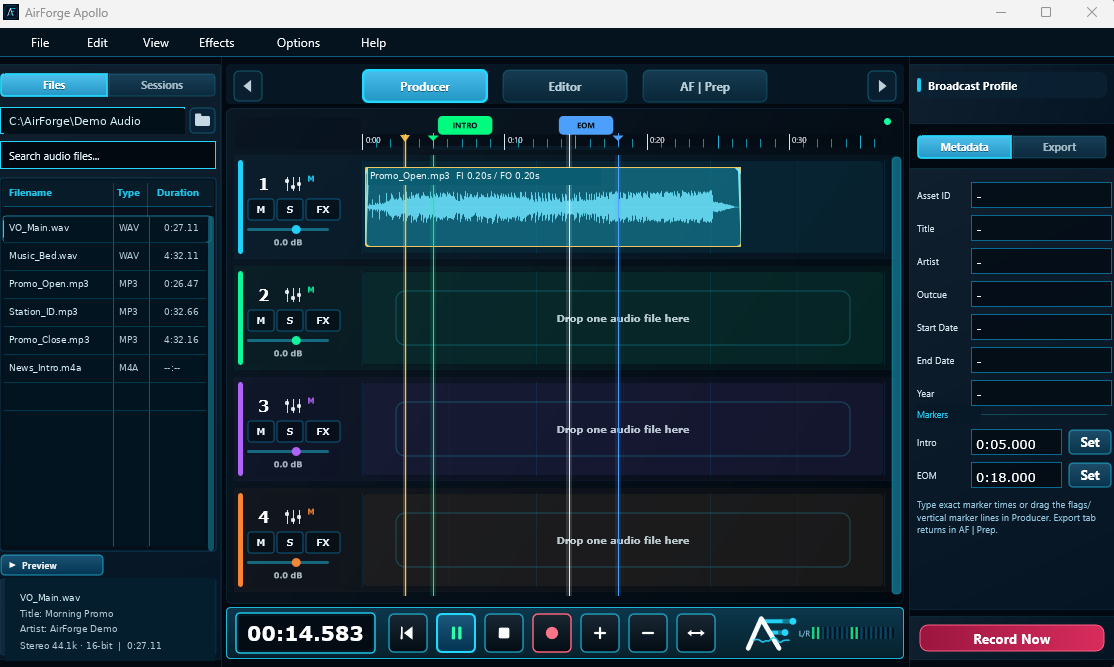
Move from multitrack production to precision editing and final export without rebuilding the project or losing session context.
Prepare file identity, metadata, Intro and EOM markers, technical format, broadcast profiles, and automation-ready WAV output.
Open, save, revise, and organize shared sessions across markets, stations, folders, and production teams.
Multitrack production, recording, fades, routing, mixer buses, built-in AirForge FX, VST3 hosting, and controller support.
Detailed selection, zoom, looping, destructive editing, bookmarks, markers, and accurate audible playhead review.
Record, edit, package, and deliver work from a phone, tablet, or browser, with portable Studio session interchange.
Import, record, arrange, trim, split, process, route, and mix.
Open clips or finished audio for exact waveform work, processing, markers, and review.
Review metadata, Intro and EOM markers, file identity, format, and delivery profile.
Send directly to automation, local storage, a portable package, or AirForge Workgroup.
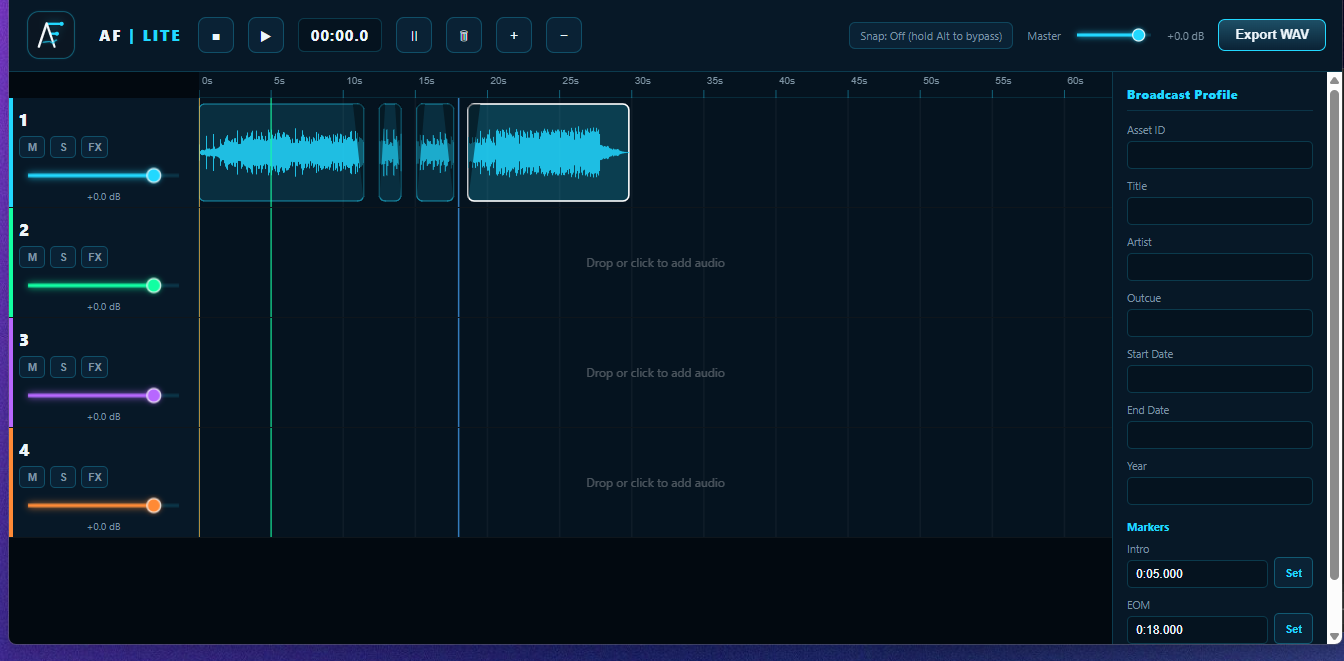
AF | Lite is the mobile-first browser companion for fast production away from the studio. Record a live report, arrange clips, edit with touch, set metadata, and export from a phone, tablet, or computer.
The complete Windows production environment for daily station and network work.
A fast browser workstation for mobile production, field recording, and lightweight editing.
Subscription billing with updates included. License keys are delivered automatically after checkout.
For one producer and one machine.
For a small station or production team.
The team plan with annual billing.
Secure checkout powered by Stripe.
AirForge Studio is still in private beta. AF | Lite is available today, and the desktop product continues to receive active production-readiness updates.
Radio producers, programmers, hosts, imaging teams, and broadcast operations staff who need fast audio production and automation-ready delivery.
Yes. It has a mobile-first interface, touch editing, microphone recording, and installable PWA behavior for supported browsers.
AirForge can prepare compatible WAV files with SCOT metadata, Intro and EOM markers, naming rules, and the required technical format.
Core audio processing occurs locally on the device. AirForge Cloud can synchronize selected sessions, revisions, locks, and workgroup data when you choose to use shared workflows.
Start producing in AF | Lite today, or contact us for AirForge Studio private-beta and launch information.